Online hangman
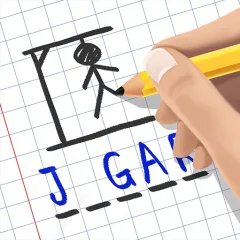
Guess the word letter by letter
Play Learn more about Online hangmanA set of free educational games you build with your own words, the ones from the unit you are teaching this week, and share with your class through a single link. No sign-up, nothing to install, and it works the same on a phone as on the classroom computer.
All of them are free and take a few minutes to set up. Hit Play to build your activity right now, or open the game page if you would rather see first how it works and what it is good for in class.
Guess the word letter by letter
Play Learn more about Online hangman
Spin the wheel and pick at random
Play Learn more about Random name picker
Build puzzles from your own word list
Play Learn more about Word search maker
Create crosswords from your own clues
Play Learn more about Crossword puzzle maker
A custom matching game of pairs
Play Learn more about Memory match game
Cards that flip to reveal the answer
Play Learn more about Online flashcard game
Clues revealed one at a time
Play Learn more about Guessing game with cluesThese build nothing and store nothing. Open one, use it and carry on with your lesson.
Roll up to 3 virtual dice
Open tool Learn more about Online dice rollerHeads or tails in one tap
Open tool Learn more about Online coin flipDraw numbers, with or without repeats
Open tool Learn more about Random number generatorParticipation points for each student
Open tool Learn more about Class participation trackerMost educational games online arrive with the content already in place: a random dictionary, generic questions, lists that have nothing to do with what your group is studying. They entertain, but the revision never happens.
DangoGames works the other way round. The game is the format and you supply the content. You type the terms from your unit, this week's English vocabulary, the biology concepts or the names from the history topic, and the activity is built around them. Students think they are playing; what they are actually doing is retrieval practice, which is precisely what makes learning stick.
That activity then lives in a link, so you can reuse it with another group or next year without preparing it again.
Tip: build three or four activities at the start of the term, one per unit. That way you always have a revision game ready for any lesson with ten minutes to spare.
A crossword or a word search built from the key terms of the unit turns revision into an active task instead of a reading.
When a lesson ends early, an activity you prepared in advance fills the gap with something that counts.
Typing a word letter by letter fixes its spelling, which is exactly where learners of a new language slip most often.
The random name picker, the dice and the coin settle who presents or answers next without any arguing.
The link behaves the same on a phone, so the very same activity can go out to the class group chat.
Bible characters, books and places are one of the most common uses of hangman and word search outside school.
Pick a game, type your words and share the link. No account and no download needed.
Create my first activity